Best Ergonomic Tools and Equipment for Carpal Tunnel in 2026
If you've been diagnosed with carpal tunnel syndrome — or you're starting to feel the early tingling, numbness, and wrist pain that signals trouble — your first instinct is probably to search for better equipment. A new keyboard. A different mouse. Maybe one of those gel wrist rests.
That instinct isn't wrong. The right equipment can meaningfully reduce strain on the median nerve and buy your wrists more time. But here's what most ergonomic guides won't tell you: the most effective ergonomic tool is the one that removes the repetitive motion entirely.
This guide covers every category of ergonomic equipment for carpal tunnel, ranked by how much strain each one actually eliminates. We'll start with the conventional options — the tools that reduce strain — and work up to the technology that eliminates it.
Understanding What Actually Causes the Strain
Before spending money on equipment, it helps to understand what you're solving for. Carpal tunnel syndrome occurs when the median nerve gets compressed as it passes through the carpal tunnel in your wrist. Repetitive motions — especially the wrist extension, flexion, and ulnar deviation that come from typing and mousing — create inflammation that narrows this tunnel.
The key metric isn't comfort. It's how many repetitive motions per hour your wrists perform. Every tool below should be evaluated through that lens.
Category 1: Keyboards
Split Ergonomic Keyboards
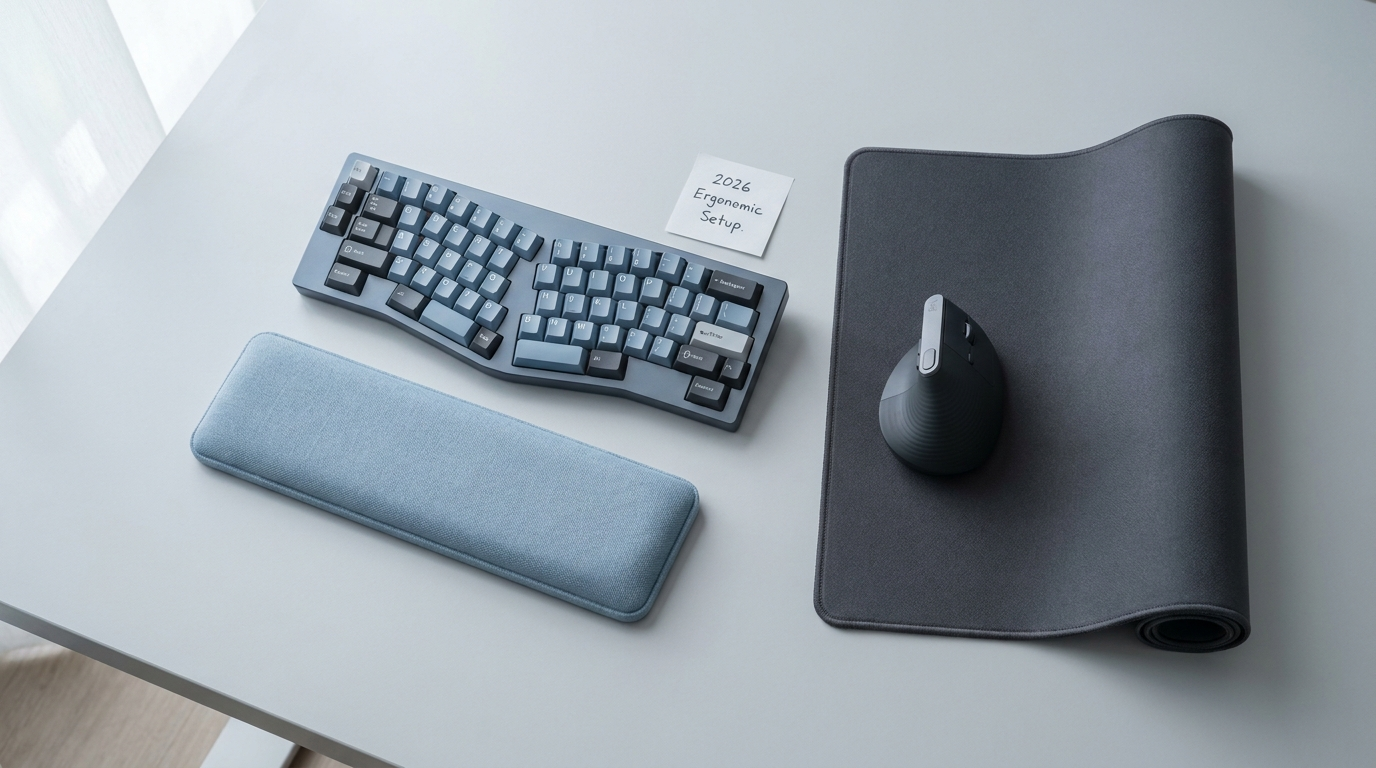
Split keyboards separate the key layout into two halves, allowing your wrists to stay in a neutral position rather than angling inward (ulnar deviation). Many also offer "tenting," which tilts each half to reduce pronation.
What they solve: Wrist angle and forearm pronation.
What they don't solve: You're still pressing keys thousands of times per day. The repetitive motion itself doesn't change — just the angle at which you perform it.
Popular options: Kinesis Advantage360, ZSA Moonlander, Dygma Defy.
Verdict: Meaningful improvement, especially for ulnar deviation pain. Worth trying if your symptoms are mild to moderate. Expect a 2-4 week learning curve.
Mechanical Keyboards with Low Actuation Force
Lighter key switches (like Cherry MX Reds or Kailh Box Whites) require less finger force to register a keystroke. Less force means less tendon strain per keystroke.
What they solve: Per-keystroke tendon load.
What they don't solve: Total keystroke volume. You're pressing lighter, but still pressing.
Verdict: Helpful as a complementary change, but rarely sufficient on its own.
Keyboard Wrist Rests and Palm Supports
Gel or foam pads that sit in front of your keyboard, supporting your palms or wrists while typing.
What they solve: Gravity-driven wrist extension (your wrists dropping below keyboard height).
What they don't solve: Dynamic wrist strain. Many ergonomists actually advise against resting your wrists while actively typing, as it can increase contact pressure on the carpal tunnel.
Verdict: Useful for resting between bursts of typing. Can be counterproductive if you rest your wrists while typing.
Category 2: Mice and Pointing Devices
Vertical Mice
Vertical mice rotate your grip from a palm-down (pronated) position to a "handshake" position, reducing forearm pronation strain.
What they solve: Forearm pronation and associated radial/ulnar nerve strain.
What they don't solve: The clicking and gripping motions themselves. You're still performing fine motor movements with your fingers and wrist.
Popular options: Logitech MX Vertical, Evoluent VerticalMouse, Anker Wireless Vertical.
Verdict: One of the most impactful single changes for mouse-related wrist pain. If you haven't tried one, start here.
Trackballs
Trackballs keep your hand stationary while you roll a ball to move the cursor. This eliminates the wrist sliding motion of a traditional mouse.
What they solve: Wrist translation (the side-to-side sliding motion).
What they don't solve: Thumb or finger strain from operating the ball, plus clicking strain remains.
Popular options: Logitech ERGO M575, Kensington Expert Mouse.
Verdict: Great for people whose pain is primarily from mouse movement rather than clicking.
Pen Tablets
Graphics tablets (like Wacom Intuos) let you use a pen instead of a mouse, changing the grip pattern and muscle groups involved.
What they solve: Mouse grip strain and repetitive clicking patterns.
What they don't solve: Still requires fine motor control with your hand. Shifts strain rather than removing it.
Verdict: Worth trying if you can adapt your workflow, but the learning curve is steep for non-creative work.
Category 3: Bracing and Support
Night Splints
Rigid or semi-rigid braces that keep your wrist in a neutral position while sleeping. Many people unconsciously flex their wrists during sleep, which compresses the carpal tunnel.
What they solve: Nighttime nerve compression from wrist flexion.
What they don't solve: Daytime strain from work activities.
Verdict: One of the most evidence-backed interventions. If you wake up with numb or tingling hands, a night splint should be your first purchase.
Compression Gloves
Lightweight gloves that apply gentle, even pressure across the hand and wrist.
What they solve: Mild swelling and inflammation. Some users report improved proprioception (awareness of hand position).
What they don't solve: Structural compression of the carpal tunnel.
Verdict: Can provide comfort, but evidence for meaningful therapeutic benefit is limited. Low cost and low risk — worth trying.
KT Tape and Kinesiology Tape
Elastic therapeutic tape applied in specific patterns across the wrist and forearm. Proponents claim it lifts skin to improve circulation and reduces pressure on the carpal tunnel.
What they solve: Some users report pain relief and improved awareness of wrist position.
What they don't solve: The underlying nerve compression or the activities causing it.
Verdict: Inconsistent evidence. Some people swear by it, others see no benefit. Inexpensive enough to experiment with.
Category 4: Workstation Setup
Monitor Arms and Stands
Adjustable monitor arms let you position your screen at exactly the right height and distance, preventing the forward head posture and shoulder tension that often accompanies (and aggravates) carpal tunnel.
What they solve: Postural chain problems that worsen wrist strain.
Verdict: Important but indirect. Poor posture creates a chain reaction from your neck through your shoulders to your wrists. Fixing your monitor height can relieve downstream tension.
Standing Desk Converters
Alternating between sitting and standing changes your overall posture and can reduce the static loading patterns that contribute to RSI.
What they solve: Prolonged static posture.
What they don't solve: Repetitive motion. You're still typing and mousing — just while standing.
Verdict: Good for general health and posture variety, but not a direct carpal tunnel intervention.
Category 5: Voice Control and Hands-Free Computing
Here's where the paradigm shifts. Every tool above operates on the same premise: make the repetitive motion less harmful. Voice control asks a different question: what if you didn't make the motion at all?
Built-in OS Voice Control (Apple Voice Control, Windows Voice Access)
Both macOS and Windows now ship with built-in voice control features that can handle basic system navigation and dictation.
What they solve: Some repetitive keyboard and mouse actions.
Limitations: Accuracy issues with technical vocabulary. High latency (2-3 seconds per command is common). Limited application-specific commands. No gaze integration — you still need to specify targets verbally, which is slow.
Verdict: Free and worth trying to see if voice-driven workflows suit you. But the accuracy and speed limitations make these tools frustrating for power users.
Dedicated Voice Control Software
Beyond OS built-ins, purpose-built voice control tools offer better accuracy, lower latency, and more command coverage. The main options for professionals:
Talon Voice (community project, free) — highly customizable, particularly well-suited for developers with community-built grammars for coding. Steep setup curve but deep capability.
Dragon Professional (Nuance, ~$300) — industry-leading accuracy for dictation, especially on Windows. Best for users whose primary need is prose dictation rather than system navigation.
Neo (macOS, free tier available) — on-device voice assistant for system navigation and dictation, designed for knowledge workers and developers. Combines voice commands with push-to-talk activation for navigational interactions.
Verdict: If OS built-ins are too slow or inaccurate for your workflow, a dedicated tool makes a meaningful difference. The right choice depends on your OS and whether your primary need is dictation, system navigation, or both.
The Ergonomic Stack: What to Buy and In What Order
If you're starting from scratch, here's the order I'd recommend:
- Night splint — Cheapest, most evidence-backed intervention. Start here.
- Vertical mouse — Single biggest improvement for mouse-related strain.
- Voice control software — Try your OS built-in option first. Dedicated tools (Talon Voice, Dragon, Neo) offer better performance if the built-ins are too slow for your workflow.
- Split keyboard — Addresses wrist angle, but has a learning curve. Take this on when you have time to adapt.
- Monitor arm — Fixes the postural chain that amplifies wrist strain.
- Standing desk converter — Good for overall health, indirect benefit for carpal tunnel.
The most important thing isn't which specific products you buy. It's understanding the hierarchy of interventions: reducing the angle of strain helps, reducing the force helps more, and reducing the volume of repetitive motion helps most of all.
See also: Hands-Free Input Methods · Non-Surgical Treatments · How to Avoid Carpal Tunnel